
Websites for Plumbers
Plumbing websites for the emergency call and the planned job.
Some customers need a plumber in the next hour. Others are planning a bathroom remodel for spring. A good plumbing website serves both — and MyTradeForge builds one around the work you actually do, written for your business and your service area.
Your Kind of Work
One site, two kinds of plumbing customer
Most plumbing businesses lean one way or the other. Your site should make your focus obvious in the first few seconds.
Service & repair plumbers
Urgent visitors want a phone number and proof you cover their area. Put a tap-to-call number up front, name the towns you serve, and use your badges for what matters to you — "Same-Day Service", "Licensed & Insured" or your license number.
Installation & remodel contractors
Planned work is researched for days or weeks. These customers read service pages and browse finished projects, so give water heaters, repiping, kitchen and bath rough-ins each their own page with photos of the work.
Both
List emergency work and planned installations as separate services. Each service gets its own page, so someone searching for a water-heater replacement lands on that page, not on your emergency pitch.
Sample Site
What a plumbing site looks like on MyTradeForge
Built with the real setup wizard and admin for a fictional business, Cascade Plumbing Co.. Yours is written from your own details.
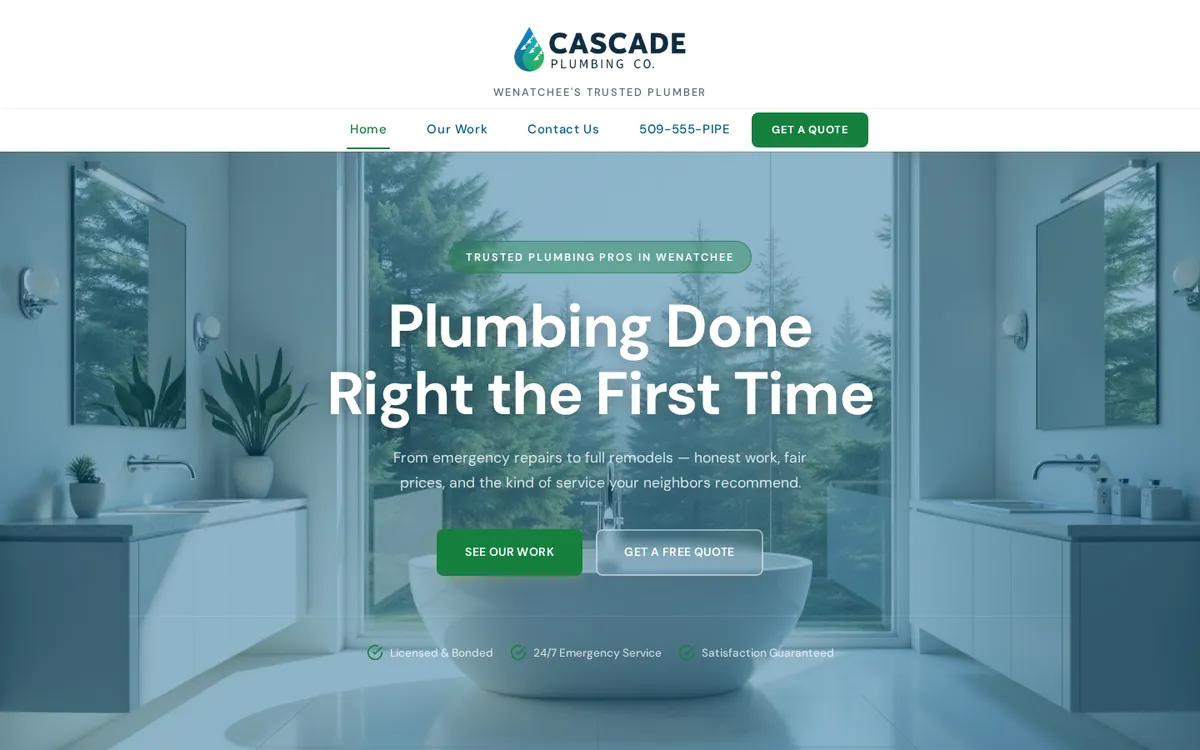
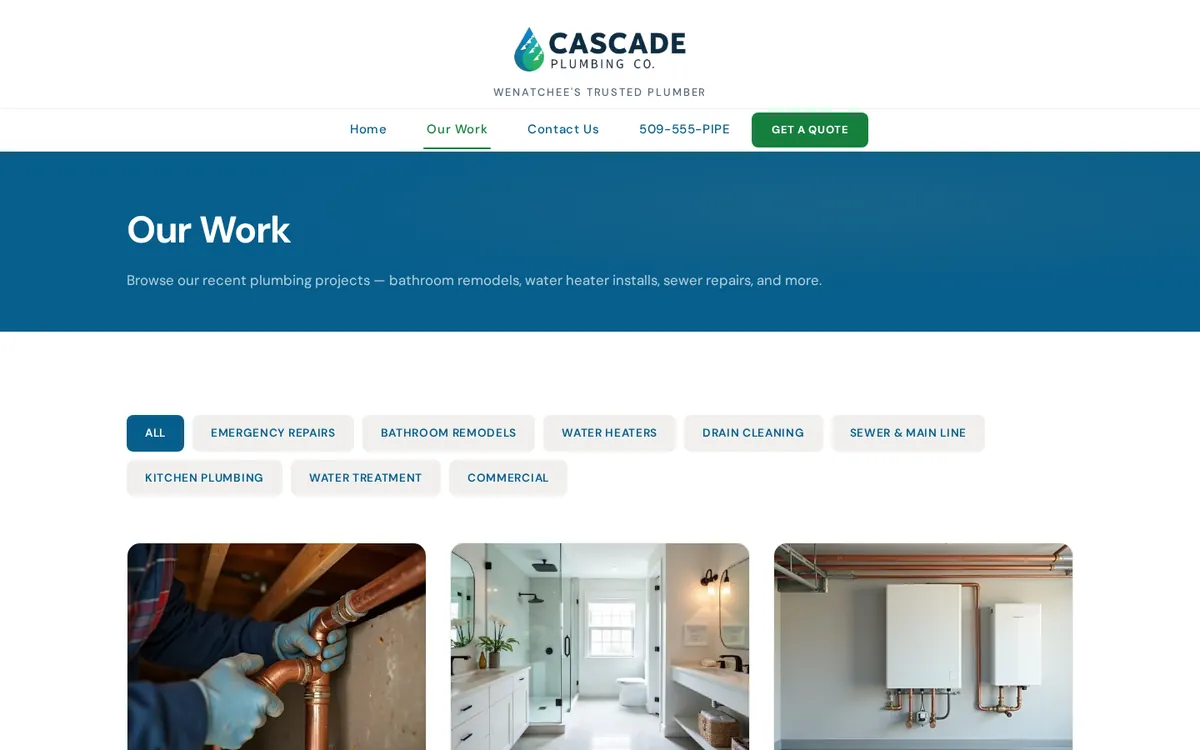
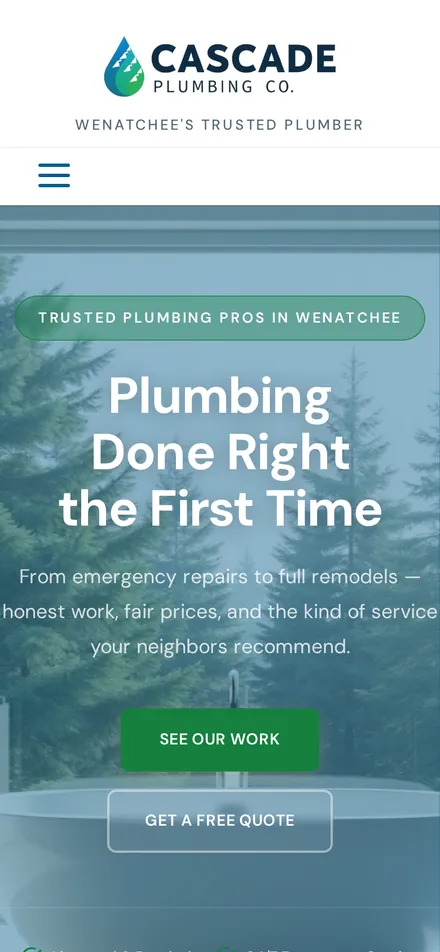
Sample site for a fictional business. Logo and photos are AI-generated illustrations; the layout, theme, page text and admin are the real product.
The Basics
What a plumbing website has to get right
Make calling effortless
Your number appears as a tap-to-call link in the header on most layouts, plus the footer and contact page, so a phone visitor reaches you in one tap.
Describe each job in customer words
"Water heater replacement" and "slow drain" are what people type. Separate service pages for the problems you solve help you match those searches.
Show planned work, not just emergencies
Photos of a clean tankless install or a finished bathroom rough-in reassure the customer who is comparing three quotes.
Be clear about where you work
Naming the towns you cover helps local search and cuts down calls from outside your area.
- Emergency Repairs
- Water Heaters
- Bathroom Remodels
- Drain Cleaning
- Repiping
- Sewer Line Service
What You Get
Your plumbing website, without the website project.
Answer a few questions about your business. MyTradeForge writes the pages, sets up your services and designs the site — then you keep it current from your phone.
Service pages, set up for you
The setup wizard suggests service categories for a plumbing business and writes a description for each. Rename, reorder or rewrite them any time.
A record of every enquiry
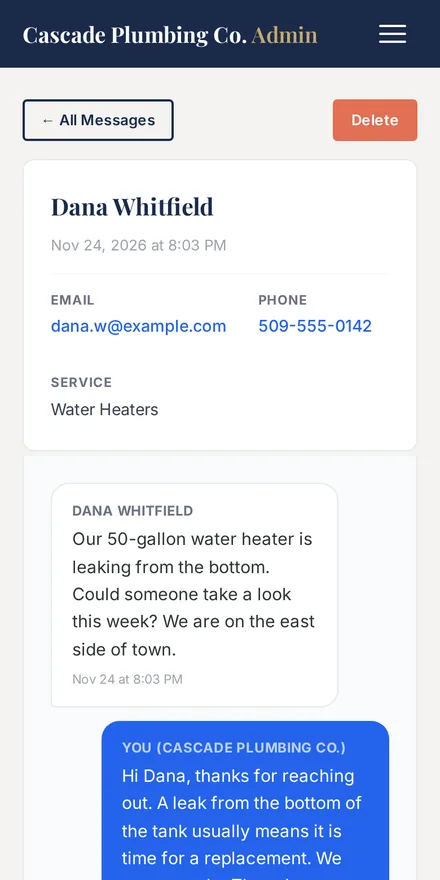
Contact-form messages are saved to your leads inbox and emailed to you with a one-click sign-in link, so an evening enquiry doesn't get lost in a voicemail box.
Reply from your email (Pro)
On Pro and Premium, reply straight from that alert email. Your answer reaches the customer and the whole conversation is kept with the lead.
Install photos from the driveway
Upload photos from your phone; they're turned the right way up, compressed and thumbnailed automatically.
- Hosting, SSL & backups included
- Admin designed for phones
- Your own domain on Pro
- No Google Analytics or ad pixels added to your site
How It Works
From "I need a website" to live in minutes.
Tell us about your business
Your trade, business name, city and what you specialize in. A sentence or two in your own words helps the AI sound like you.
Pick a look
Choose from 75 layout and colour combinations. Switch later and your content comes with you.
Go live & add your work
Your site launches on a free subdomain with SSL. Add job photos from your phone and connect your own domain on Pro when you're ready.
FAQ
Questions plumbers ask us
Can my site show I offer emergency service?
Yes. The badge above your homepage headline and the three trust badges beneath it are editable text — "24/7 Emergency Service" or "Same-Day Appointments" are common choices. Only use what you actually offer.
I mostly do installations and remodels. Is this still a fit?
Yes. Lead with your installation services, feature your best projects on the homepage, and leave emergency wording out entirely. The wizard writes from what you tell it you do.
What SEO does the site include?
Each site gets LocalBusiness structured data with your city, an automatic sitemap and robots.txt, page titles and descriptions written for your trade and city, compressed WebP images and clean page addresses. That's the technical groundwork; where you rank still depends on your competition, reviews and content.
How much does it cost?
Starter is $9/month, Pro $19/month and Premium $39/month. Hosting, SSL and backups are included on every plan; your own domain and replying to leads by email start on Pro. There's a 14-day money-back guarantee on your first payment.
Also building for: Electricians · HVAC Contractors · Carpenters · Welders · How we compare with Wix & Squarespace
Be the plumber they find first.
Get a plumbing website built around your services and your area in the next few minutes.
Start your site →